If you are looking for a video, there is none for this feature. Just a discussion and explanation on another feature of the Artiste Performance HUD.
Someone once said, after I had enumerated 57 features of the Artiste Suite, that they didn't know what half of them were. I sometimes forget that I made some of these terms up and that they will fall on deaf ears unless I do my due diligence and take the time to describe what they mean and do.
How can I expect anyone to take serious interest in this product suite if they don't know what all the components do, and some of how it does what it does? Well that's a laborious process and requires patience on my part as well as potential customers. So I am trying to be patient and do what needs to be done first and foremost. Explain just what IT IS.
One such term is SmartChange. It is a built-in feature of the Artiste Performance HUD. With just about every feature we introduce, we attempt to also solve pressing problems that performers face in this business. I am always looking for ways to solve live-show issues.
If you have ever had:
1) Missing hair
2) Missing shoes/boots
3) Double-worn items
4) Bare alpha layers
...then this may interest you and may someday help you resolve some of these issues, should you at some time in the future decide on the Artiste Suite as your primary performance solution, or at least, an addition to your tool-set.
I was inspired to research this phenomena when I attended a festival show and saw 4 out of 5 sets for a particular troupe having failed hair rezzing. Me and my testing assistant and myself also experienced failed rezzing. This was 2 or 3 years ago. I have recently seen and continue to see missing hair, footwear and failed alphas which has brought this issue to the forefront of my attentions.
Anyways, after much trial and error, it appeared to be isolated to items with a lot of prims in their linkset trying to update at the same time; like hair, shoes, jewelry. We also discovered the timing of the application of alpha layers to be suspect.
So....I implemented an automatic feature that occurs during a full outfit change we call Wear/Unwear. You can can specify up to 5 SmartChange sets that describe special rules to follow when changing outfits. It can cover a maximum of 5 outfit changes per set.
You can isolate and advance or retard, in seconds, the wearing of certain items at certain times in an outfit change cycle. You can also specify applying alpha layers separately and in isolation of other items...waiting for the clothing or attachment 1st before applying the alpha, as well as not combining alphas.
You have lots of other options like applying things to help force a rebake we call AutoRebake, appying a fake tattoo layer we call AutoTattoo, AutoTeleport, and other customizable features for a given SmartChange. These are implemented via notecards.
We had about an 75-80% success rate with regards to fixing an existing rez issue. It didn't always work but it seemed to improve our odds. And you can also specify the number of retries which seemed to increase our rate of success, up to a point.
And even if you are not changing outfits during a show...this feature can be used to wear your initial outfit, especially if you are changing outfits backstage in preparation for your next set, assuming you didn't leave home already dressed...and even then...this can aid in helping to ease the burden on the servers to do a lot in a short amount of time, often exasperated by a busy sim.
Hopefully by release time, LL will have resolved these issues ...but may also introduce new ones. SmartChange allows us to not only have a means of fighting off current rez issues but provides for enough flexibility to maybe even address future issues we don't have yet.
Yumz
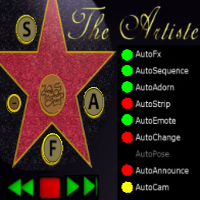
This blog is for those interested in the almost 200 features of the Artiste Performance HUD and Product Line, and the ongoing development of the Artiste Performance HUD and suite of supporting products. We will have discussions and demonstrations and try to answer questions. The main purpose is to "show" what it can do rather than describe in detail how it does what it does.
Saturday, October 11, 2014

Friday, October 3, 2014
Introducing the Artiste Sit-2-Sit - Animation ReCentering
Here is a link, Animation Centerpoint to a previous discussion on the animation "centerpoint" from the Dance Queens blog by Nottoo Wise to provide some background and context.
Sit-2-Sit is the term that's come to describe another of the many features of the Artiste Palette. It was an idea I had always had in the back of my mind to add but figured it wouldn't have any pressing demand for use, so I put it on the back burner. I was wrong. Two of the Artiste Release Candidate users asked for it's specific ability so I advanced its development.
Its primary use is to add flexibility to Palette usage by being able to detach from one Palette and reattach to a different Palette, changing a sitting avatars range of functionality.
What I present now is another interesting application, that of animation re-centering. This problem-solving mechanism can be applied to couples dances as well as singles dances or both at the same time.
It also extends the range and application of starting animations in the middle because it provides more choices in where to make your match at by removing the restriction of matching centerpoints.
But I strongly suggest that when using either of these new methodologies, that you proceed frugally and wisely and consider using them to fill a pressing need as opposed to 'looking for places and ways to use them'. I am not sure that using them a lot will be worth the added extra effort that it takes to: 1) setup and test and 2) refine the timing necessary to 'sell' the trick.
You can see, well you can't really see it cause it was executed without any noticeable glitch, but in the video State of Shock, Aura and myself, use it to detach from one Palette and reattach to another, (4 Palettes involved) extending her abilities to do something different partway thru.
And another live-show use by Nancy Toocool:
" Nancy Toocool: Hmm... I used it to make a smooth transition from a piece of props to the "regular" ground (meaning dancing on the stage and not on any specific object). It would have been impossible to do that without the sit-2-sit function, it would have meant that I would have first jumped off the initial object and then hopped back on the palette I used as a mover (which would have look horrendous)"
I'd like to reiterate that it takes a systems approach to apply Sit-2-Sit so it requires full understanding of the whole system as do most of the Palette features.
The parts necessary to pull off this demoed solution are:
1) events notecard - establish offset timings
2) dance sequencing notecard - list dances
3) autofx - send commands to Palettes at right timings
4) main configuration notecard
5) Palette notecards - move instructions
Sit-2-Sit is the term that's come to describe another of the many features of the Artiste Palette. It was an idea I had always had in the back of my mind to add but figured it wouldn't have any pressing demand for use, so I put it on the back burner. I was wrong. Two of the Artiste Release Candidate users asked for it's specific ability so I advanced its development.
Its primary use is to add flexibility to Palette usage by being able to detach from one Palette and reattach to a different Palette, changing a sitting avatars range of functionality.
What I present now is another interesting application, that of animation re-centering. This problem-solving mechanism can be applied to couples dances as well as singles dances or both at the same time.
It also extends the range and application of starting animations in the middle because it provides more choices in where to make your match at by removing the restriction of matching centerpoints.
But I strongly suggest that when using either of these new methodologies, that you proceed frugally and wisely and consider using them to fill a pressing need as opposed to 'looking for places and ways to use them'. I am not sure that using them a lot will be worth the added extra effort that it takes to: 1) setup and test and 2) refine the timing necessary to 'sell' the trick.
You can see, well you can't really see it cause it was executed without any noticeable glitch, but in the video State of Shock, Aura and myself, use it to detach from one Palette and reattach to another, (4 Palettes involved) extending her abilities to do something different partway thru.
And another live-show use by Nancy Toocool:
" Nancy Toocool: Hmm... I used it to make a smooth transition from a piece of props to the "regular" ground (meaning dancing on the stage and not on any specific object). It would have been impossible to do that without the sit-2-sit function, it would have meant that I would have first jumped off the initial object and then hopped back on the palette I used as a mover (which would have look horrendous)"
I'd like to reiterate that it takes a systems approach to apply Sit-2-Sit so it requires full understanding of the whole system as do most of the Palette features.
The parts necessary to pull off this demoed solution are:
1) events notecard - establish offset timings
2) dance sequencing notecard - list dances
3) autofx - send commands to Palettes at right timings
4) main configuration notecard
5) Palette notecards - move instructions
Wednesday, October 1, 2014
Introducing - Artiste Set Rezzer - Other Unique Features (Part 5 of 5)
Those of you who are experienced scrutinize new developments with a very analytic gaze as you carefully weigh the pros and cons.
How much time will I have to invest before it will see a benefit?
Is it worth the time it takes to learn it and come up to speed?
Is it worth the cost?
Is it that much better than what I already have and use?
How much of the new gizmos will I actually use?
Do I feel its easy to understand, learn, use, and reuse?
Will make enough of an impact as as a labor saving device?
Is the added extra effort of setting it up and using it worth it?
Will I get the support I need, when I need it?
Will it truly work as advertised?
Will it perform consistently to expectations?
Who do I know, that I trust, also uses it?
How are the training materials?
Well its easy to get into a mindset of "I have to impress my peers...the staunchest of the staunch". The most stringent and hardened users.
BUT...there is also a "place" for someone just starting out who is looking for an all-in-one solution who is too shy to ask others 'How they did a certain technique", 'Where can i get that', 'How do i use it". Those questions can become daunting and fearful to someone new who doesn't want to seem a pest. Many cool tools require that you have already committed to it before you can either try it to determine if its what you want or attend classes to learn of its capabilities.
There is also a "place" for someone daunted and overwhelmed by a fair number of HUDS and inventory windows and other screen-occupying devices as well as the number of things they must remember to do and click on at the right time and the right order during showtime. For them, we feel that the Artiste Suite of products provides a viable alternative
==========
This 5th of and final demo of the series demonstrates a few more note-worthy features, though not all, of the Artiste Set Rezzer's capabilities.
1 - It demonstrates the value and use of variable and adjustable fade times.
2 - It demonstrates variable and adjustable minimum and maximum transparencies.
3 - And highlights the benefit of including movers and Palettes into your set rezzer as they are scripted to become aware of each other.
How much time will I have to invest before it will see a benefit?
Is it worth the time it takes to learn it and come up to speed?
Is it worth the cost?
Is it that much better than what I already have and use?
How much of the new gizmos will I actually use?
Do I feel its easy to understand, learn, use, and reuse?
Will make enough of an impact as as a labor saving device?
Is the added extra effort of setting it up and using it worth it?
Will I get the support I need, when I need it?
Will it truly work as advertised?
Will it perform consistently to expectations?
Who do I know, that I trust, also uses it?
How are the training materials?
Well its easy to get into a mindset of "I have to impress my peers...the staunchest of the staunch". The most stringent and hardened users.
BUT...there is also a "place" for someone just starting out who is looking for an all-in-one solution who is too shy to ask others 'How they did a certain technique", 'Where can i get that', 'How do i use it". Those questions can become daunting and fearful to someone new who doesn't want to seem a pest. Many cool tools require that you have already committed to it before you can either try it to determine if its what you want or attend classes to learn of its capabilities.
There is also a "place" for someone daunted and overwhelmed by a fair number of HUDS and inventory windows and other screen-occupying devices as well as the number of things they must remember to do and click on at the right time and the right order during showtime. For them, we feel that the Artiste Suite of products provides a viable alternative
==========
This 5th of and final demo of the series demonstrates a few more note-worthy features, though not all, of the Artiste Set Rezzer's capabilities.
1 - It demonstrates the value and use of variable and adjustable fade times.
2 - It demonstrates variable and adjustable minimum and maximum transparencies.
3 - And highlights the benefit of including movers and Palettes into your set rezzer as they are scripted to become aware of each other.
Sunday, September 28, 2014
Artiste Set Rezzer - Part 2 - Handling Multiple Sets, Using Set Invisibility, & Part 3 - NoCopy & No Modify Objects & Part 4 - CrossFading
Well if I can be candid? What I thought would be 1 video turned into 5 videos on the Artiste Set Rezzer because I want to limit the time to around 10 minutes max per video. The demos last longer than I anticipated but I do want to be complete and thorough. These videos border on how-tos; something I said I wouldn't do, but the purpose of this site is to communicate 'what' the product-suite is about. And what it does is a part of that. Also, 'how it does it' should be sampled at the least. People need to have some idea of level-of-effort. What is the process like? Visually.
I also wanted to video-document some of the procedures in detail while they were fresh in my mind. This is the 1st suite component to have video instructions to go along with the instruction book, so I am now learning and experimenting with how-to-videos.
====================
Creating a ChildRezzer
The very 1st clip in the first video is a clip of how to create a Linkset-based ChildRezzer. This is at the core of preparing the rezzer. The good news is that if you can link all your objects into one linkset and that linkset is copy/mod, then this clip is all you need to build and have your set rez-ready for your show. Done.
Multiple Sets and Invisibility
Multiple Sets and Invisibility
The 1st video highlights the ability to work with multiple sets at the same time. Seems like a simple thing and it is, sort of. But to me its huge because the rezzers I had bought always delete the current rezzed set of objects before rezzing a new set. I suppose if you needed to work with multiple sets at the same time, i.e. aligning, you could use multiple commercial rezzers, but when using my rezzer, the cross-fading is built in so no extra scripts or setup-time needed.
Also, the Artiste set-rezzer is Palette-aware meaning that it won't step on the shared area that both rezzers and devices like 'movers' use. Both use the object-description area to store information and so unless you are the creator the rezzer and the mover, you won't be able to include movers as part of your rezzable object-set and will have to manually place the movers at showtime.
As you will see, there are a lot of auxiliary features and abilities, that one would not initially think of, that are included.
Invisibility
Making a set invisible and rezzing it can avoid broadcasting to the audience what your set is about as parts if it often poke thru the curtain. You can also avoid where huge pieces of sets chop off the heads of the audience during their rezz cycle.
Invisibility is also a critical component in setting up cross-fades, so it is a valuable skill.
Disappearing and Failing Alphas
It is a well known fact, as admitted by some official techies, that there are problems with alphas not reappearing after going invisible in certain circumstances. I worked about 2 frustrating weeks on a work-around and finally, with the help of another scripter and some adjustments on my own, I was able to devise a schema that avoids this ugly pitfall. So I have created special parameters on a note-card to address this issue. They default to something I have found that works, but you may find yourself able to adjust them down to reduce the added overhead in seconds and pre-processing during that I have been taxed with during the rezz cycle. The good news is that rezzing is not time-critical, nor does it need to be visible since all in-show initial rezzing should be invisible in almost all cases.
========================================
Non-Permissive Objects
Non-Permissive Objects
The 2nd video demonstrates how we have adapted our set-rezzer to accept no-copy and no-modify objects and link-sets. The idea is to not have to worry about the placement of any objects during the rezzing of a set. The processes are well documented, demonstrated, and flexible. I don't know of any rezzer that lets you process no-modify objects. I am crazy enough to offer a solution though not without a bit of manual intervention in the cleanup process. It beats what we have now and offers a total manual-free-operation during the critical set-setup period at a price of some pre-preparation resources.
========================================
Cross-Fading
Cross-Fading
Set Cross-Fading is a popular method for transitioning from one set to another. Here I demonstrate manual and automatic (HUD-based) cross-fading. Because our Palettes can be configured as Particle emitters and because our set-transitioning is syncable via the Artiste Performance HUD, you could also mask a set-change using Particles.
I also wanted to video-document some of the procedures in detail while they were fresh in my mind. This is the 1st suite component to have video instructions to go along with the instruction book, so I am now learning and experimenting with how-to-videos.
====================
Creating a ChildRezzer
The very 1st clip in the first video is a clip of how to create a Linkset-based ChildRezzer. This is at the core of preparing the rezzer. The good news is that if you can link all your objects into one linkset and that linkset is copy/mod, then this clip is all you need to build and have your set rez-ready for your show. Done.
Multiple Sets and Invisibility
Multiple Sets and Invisibility
The 1st video highlights the ability to work with multiple sets at the same time. Seems like a simple thing and it is, sort of. But to me its huge because the rezzers I had bought always delete the current rezzed set of objects before rezzing a new set. I suppose if you needed to work with multiple sets at the same time, i.e. aligning, you could use multiple commercial rezzers, but when using my rezzer, the cross-fading is built in so no extra scripts or setup-time needed.
Also, the Artiste set-rezzer is Palette-aware meaning that it won't step on the shared area that both rezzers and devices like 'movers' use. Both use the object-description area to store information and so unless you are the creator the rezzer and the mover, you won't be able to include movers as part of your rezzable object-set and will have to manually place the movers at showtime.
As you will see, there are a lot of auxiliary features and abilities, that one would not initially think of, that are included.
Invisibility
Making a set invisible and rezzing it can avoid broadcasting to the audience what your set is about as parts if it often poke thru the curtain. You can also avoid where huge pieces of sets chop off the heads of the audience during their rezz cycle.
Invisibility is also a critical component in setting up cross-fades, so it is a valuable skill.
Disappearing and Failing Alphas
It is a well known fact, as admitted by some official techies, that there are problems with alphas not reappearing after going invisible in certain circumstances. I worked about 2 frustrating weeks on a work-around and finally, with the help of another scripter and some adjustments on my own, I was able to devise a schema that avoids this ugly pitfall. So I have created special parameters on a note-card to address this issue. They default to something I have found that works, but you may find yourself able to adjust them down to reduce the added overhead in seconds and pre-processing during that I have been taxed with during the rezz cycle. The good news is that rezzing is not time-critical, nor does it need to be visible since all in-show initial rezzing should be invisible in almost all cases.
========================================
Non-Permissive Objects
Non-Permissive Objects
The 2nd video demonstrates how we have adapted our set-rezzer to accept no-copy and no-modify objects and link-sets. The idea is to not have to worry about the placement of any objects during the rezzing of a set. The processes are well documented, demonstrated, and flexible. I don't know of any rezzer that lets you process no-modify objects. I am crazy enough to offer a solution though not without a bit of manual intervention in the cleanup process. It beats what we have now and offers a total manual-free-operation during the critical set-setup period at a price of some pre-preparation resources.
========================================
Cross-Fading
Set Cross-Fading is a popular method for transitioning from one set to another. Here I demonstrate manual and automatic (HUD-based) cross-fading. Because our Palettes can be configured as Particle emitters and because our set-transitioning is syncable via the Artiste Performance HUD, you could also mask a set-change using Particles.
Thursday, September 18, 2014
Introducing the Artiste Set Rezzer
The Artiste Set Rezzer
See the video:
Story-Telling
Two important components of story-telling thru dance is establishing time and place. Performers use sets to establish place or locale and set-changes to sometimes suggest a passage of time.
Sets
Sets are usually created manually, piece by piece, at show time just before a performer (or group) takes the stage. Often this is done using Restore To Last Position (a handy viewer-feature). However many have opted for an alternate method, that of using rezzers. A rezzer has all the set pieces inside of it and rezzes them from a menu choice, remembering where you want them to rez at. It can repeatedly rez objects be they single or linksets, as long as they are copy. No-copy items can only be rezzed once.
Restore To Last Position
I found out many professional performers have never bothered to make use of rezzers (often called faux-rezzers). Many, if not most, rely on the ability to Restore To Last Position (a feature of some viewers), assuming that they belong to a group that ownership via owner or deeded-group to location (0,0,0) of the sim..or not...this feature has a history of working some days and not working on others and may depend on viewer, server release, or the way the wind blows on that day?
I just tried it on mainland and I dont own (0,0,0) and it let me Restore To Last Position but I've seen it work in practice and then not work on show-day. So I won't claim how it will work for you in space and time. Suffice it to say that it will re-rez an object from your avatars inventory at the last place it was rezzed at when it does work.
Main Purpose of a Rezzer
To me the major purpose of a rezzer is to be able to remember relative positioning of objects so that you can create and layout your set at one location and be able to quickly and reliably recreate it at another location later. Rezzers are how large complex buildings are constructed and reconstructed and are handy tools for packaging and transferring/selling houses, clubs, malls, and other big complex structures, where relative positioning is key. There is also the added benefit, a key benefit to those where prim efficiency is a concern, that it is a great way quickly switch between sets without having more than 1 rezzed at once. They can also reduce the time spent between acts to prepare for the next act.
Worth the Effort?
"Yummy, my sets are always simple creations I make myself and I link the pieced together. Done! For me, it's not worth the extra headache and bother. I manually fade my sets. Never had any issues". - Anybody
I agree that not everyone will see a benefit to using rezzers. For someone just starting out, it might be a way to jump-start your show preparation and ease the stress of having to worry about so many things. And for others, its another option, something to try.
So I need to explain what our tool (the Artiste Set-Rezzer) does without assuming what people may know about rezzers.
Our rezzer's (the Artiste Set-Rezzer) purpose is not to package up sets, like houses, for resell, although that might be a future rendition. The main purpose is to pre-package your set so it can be easily recreated just the way you want it on "show-day". So we have custom-tailored it to the specific needs of stage performers. Enhancements, unique to rezzers, we've made custom-tailored for our needs are:
1) built-in set cross-fading,
2) externally trigger-able via Artiste Performance HUD,
3) adjustable fade times,
4) configurable minimum and maximum transparencies
5) can have multiple sets rezzed at same time
6) can be Palettized
How it Works
So lay out your set at your home or practice platform then package it up into the rezzer. Then take the rezzer to the theater where you will perform live. Re-rez it. Make any final adjustments as the location and orientation of the show-site may differ from where you created it at. Then LOCK it. Locking means that it will remember the absolute region coordinates when rerezzed. That way you can move or re-rez the MasterRezzer out of sight and it will always rez your set where you LOCKED it. Then kill your set. You are now ready for show-day.
Packaging Single Objects vs Linked Objects - Pros and Cons
Sets can be comprised of one big linked set of objects or each object can be treated as an individual object by the rezzer (or a combination of the two methods, of course). The advantage of one big linkset is that it only requires one rezzer script. (We call these scripts "child-rezzer scripts"). If you are sure you wont need to rearrange the objects later, then this is the way to go. But should you need to change this big link-set, you would have to UNLINK it and that gets real messy cause it unlinks everything as you probably know which is not what you really want. So just BE SURE before you use this method.
Scripting each object separately is the recommended method when you plan to do a lot of arranging and rearranging via an iterative creative process but this method requires a child-rezzer script in each object.
Permissions
Normally objects to be included in your set-rezzer SHOULD have MODIFY and COPY permissions. COPY, so that you can re-rez it over and over again without concern. MODIFY, so it can hold the scripts that enable the objects to do all the features listed below.
COPY vs NOCOPY - If the owner of the object does not have copy permission on inventory, the object will no longer be present in inventory after it is rezzed (so another attempt to rez (the same object) will fail); if the owner does have copy permission, then a copy is rezzed, and the original inventory remains in inventory.
NOMOD - With extra preparation you CAN ALSO include objects without modify permissions as part of your set. But we cannot put child-rezzer scripts in them so they will not participate in any automated cross fading or any of the other features that the script can perform. Spending extra prep-time required to include no-mod objects as part of your rez...can greatly reduce the time (and stress) required to position them at 'show-time'. This will be a personal preference. CAUTION: You cannot link objects of which you do not have modify permissions.
BUILD
The owner or group assigned to the MasterRezzer must have offline building rights on the land. To have the right, your objects needs to either:
- Be on land you own yourself.
- Be on land where anyone is allowed to build, e.g. a sandbox.
- Be deeded to the group that owns the land.
- Be set to the same group that owns the land and the land have the parcel flag 'allow group to build' set.
===================
FEATURES
1) You can trigger set changes via the Artiste Performance HUD and have it synch up with other HUD functions and Palette action-features.
2) Built in set-cross-fades from the HUD as well as show,hide, kill, and double-exposure saving you the worry of configuring sets to cross-fade.
3) You can cycle thru up to 6 sets using one Master Rezzer
4) You can rez multiple sets at the same time so that you can more easily align sets for smoother cross-fades.
5) You can rez a set as invisible so that it doesn't chafe the heads of the audience, then show it or fade it in when ready, all from the Artiste Performance HUD (or optionally from the Master Rezzer).
6) You do not have to have all sets rezzed at the same time, thus saving on prims. The process is:
a) rez Set1 visible,
b) rez Set2 invisible.
c) cross-fade 1 and 2.
d) Kill Set1.
e) Rez Set3 Invisible.
f) cross-fade 2 and 3.
etc. repeat.
7) Unlike other rezzers, you can include NO-COPY and NO-MOD objects.
8) Includes Child-Object-side controls: Reset, Kill, Show, Hide, Freeze
9) Includes Master-side features: Reset, Freeze, Lock, and manual testing of: Rez, CrossFades, FadeIn, FadeOut, Show, Hide, DoubleExposure, KillAll, ShowAll, HideAll, Swap
10) Temporary dynamic memorization of interim Child-Object position and rotation
Extensibility
One of the things your MasterRezzer can rez is....another MasterRezzer. The last set (#6) in MasterRezzer #1 can be faded out while set#1 of MasterRezzer #2 is faded in. Then MasterRezzer #1 can, if Palettized, be killed. Then MasterRezzer #2 can continue a multiple-rezzing scenario, extending the number of sets by 6 for a total of 12 set changes. While I consider this an extreme-case scenario, it is very doable.
Saturday, September 6, 2014
Breathing New Life Into Old Ideas
I think we have all had ideas that we have never been able to put into practice, or a routine that could have been SO much better, if only...
The ideosyncrasies of SL aside, our imaginations will always outstrip reality so we have to make the best of what is available to us at the time. I don't think that I am the only one who looks back at some routines with the thought: "if only I had been able to realize that idea the way I envisioned it."
The Original Concept
About 2 years ago I was dancing at Orchids Theatre and had an idea for a routine which was pretty ambitious for me. I went to my ace tech person Jemma and outlined it and she essentially created the SL version of an animatronic stage prop. She scripted a cat head and paws which could rise up from below the stage and "attack" a bird cage.
At the time The Artiste was in its infancy. There was no sequencer, no autofx as you would recognize it today, no palettes. My dance routine had to go into a dance HUD.
The animated items had to be controlled by an external HUD and triggered manually. However, I got everything set up and Jemz had done an amazing job. Then we moved it to the theatre and disaster...
The original Orchids site had only 2m at best clearance under the stage. There was no way to fit this huge cat head underneath it!
Luckily there was some clearance behind the stage and into the dressing area. The stage had to be reworked and the head and paws repositioned and altered so that they would emerge from the BACK of the stage. It eventually worked great, but it really wasn't what I wanted and made nonsense of one of the best emote-jokes I ever got away with on a non-adult stage.
There were so many other things that I wanted to do with it as well, but at the time there was just no way to control them sufficiently. So you pack your set away and think oh well...
Cat Scratch Redux
The advances in The Artiste over the last couple of years are pretty astounding. The ideas just kept rolling in and assimilating themselves into the whole. Suddenly it's a whole new world. I decided that it would be a good test to try this routine again and see if I could get it the way I originally wanted it.
Now I would like to stress that the original concept took a couple of weeks at least to put together, even though the set itself was very simple. Most of that was Jemma having to script the movements I wanted for the objects and make a HUD for me.
What you are seeing in the video is the result of only a few hours work in total.
I loaded my dances and the original routine into the Artiste, loaded the original notecards for events, emotes etc. The core was in place in 10 minutes.
The original scripts were stripped from the cat pieces and the palette scripts and notecards loaded. I set up the initial positions and moves in less than an hour. The rest of the time was just playing around with it and tweaking it until I was satisfied. Now at last, I could see the head and paws rising up from underneath as intended and I had the power to do this myself, not have to ask someone else and try to relay how I wanted the moves to work.
Now I want to stress here...I am NOT a scripter.
I have learned a lot in the last couple of years and I can handle simple script editing, but doing this on my own would be completely beyond me. Having said that I can suddenly have complete control over how the paw moves..do multiple moves, control when they happen from the HUD and even add little touches like the cat tilting his head. Result..happy bunny..well, canary...;)
The other thing I really wanted to do was have some effect of feathers flying when the skirt came off, but at the time there seemed no way to get an accurate control of a poofer to complete the effect. I had actually finished putting everything together when I decided to give it another go. I could have made a palette with the particle action but why waste more scripts for 4 seconds?
I went for a simple poofer object to be adorned on the pelvis as the skirt came off. Now to have control of how long the "poof" lasted meant taking it off in a certain time. Because the Adorns have a variable lead time I could set the "poof" to happen just BEFORE the skirt removal and remove the poofer at the same time as the skirt. The poofer is still throwing feathers out when it is detatched.
Yay for lead times and delays, the saviours of the day :)
And all of this at the touch of one button? YES!
Everything set up and ready to go. Instead of 3 HUDs I have one and I can sit back and watch. Emotes,strips, adorns, autofx..all as planned.
So here is my version of "Cat Scratch Fever" by Pantera, first performed back in Late 2012 and now given a new lease of life and recorded for your entertainment. Enjoy! :)
Wednesday, September 3, 2014
Introducing the Artiste Texturer and Animated Texturer
This video demonstrates the texturing abilities of the Artiste Palette. These are action-features #2 and #64.
You can turn anything into a bacis Palette that has mod permissions by dropping in the 6 key scripts and 3 specific notecards.
You can give a Palette texturing abilities by simply enabling. the Textureable ability, set applicable parameter values on a notecard, and issue the commands to start (or stop) the animation via AutoFX from the HUD or from the Palette menu for quick testing.
Texture applies any texture that you own by UUID or Name. You can apply the texture to a particular side or all sides of the Palette.
AnimatedTexture causes the texture to animate.
We have extended the normal abilities of texture-animation to include:
1) number of times you want an animation to run OR
2) time in seconds that you want it to run.
You can dynamically change the animated texture by setting new parameter values, re-texturing, and restarting the new animation
As with Palette traits, you can combine texturing with other Palette features.
So yes, you could:
- "throw" (or move) an animated-texture while
- "rotating" it,
- "tipping" it,
- "beating" it,
- cause it to emit particles, AND having this severely combined Palette ALSO
- spot-follow a moving object or avatar, ALL simultaneously, as an extreme example.
Please note that note-card settings you create are transactional "assets" that you own because they can be protected by changing the notecard permissions. So with Palettes, you can:
1) Share
2) Give Away
3) Trade
4) Sell
5) Buy
One of the advantages to this composite method of providing all action-features in all Palettes is that you don't have to hunt your inventory or search vendors for a special script to perform tasks. I have enabled 95% of the functionality I've witnessed thru all the shows I have attended.
Since almost all 'cool stuff' seen in performances is enacted via scripting in some manner, it is easy to identify what I call Performance Primitives and thru these primitives, recreate nearly anything you have seen done in shows as well as moving way beyond what you have seen, by simply exposing nearly all of the Linden Lab's scripting engine capabilities to you the performer via notecards.
Also, having everything present, reduces the effort involved in trying new combinations.
Also, by having them ever-present, they remind you of what other things you can do and as such contribute to 'inspiration'.
And you now have the ability to tweak because they are designed to tweak allowing you to add your own unique mark on your creations.
=========
Coming up next...the Artiste Set Rezzer
Yumz
Subscribe to:
Posts (Atom)